Download ProDriverSoft
Keep your drivers up to date and review available updates for supported devices.
for Windows 11, 10, 8, 7 (64-bit & 32-bit) · 6.2 MB
By downloading, you agree to the End User Licence Agreement and Privacy Policy.
Software safety
No bundled toolbars or hidden extras. Drivers install only after you confirm.
Windows compatible
11, 10, 8, 7 (64-bit & 32-bit) plus ARM64 devices.
How to download & install, step by step
Four steps from download to your first driver update. Nothing is installed on your PC without your confirmation.
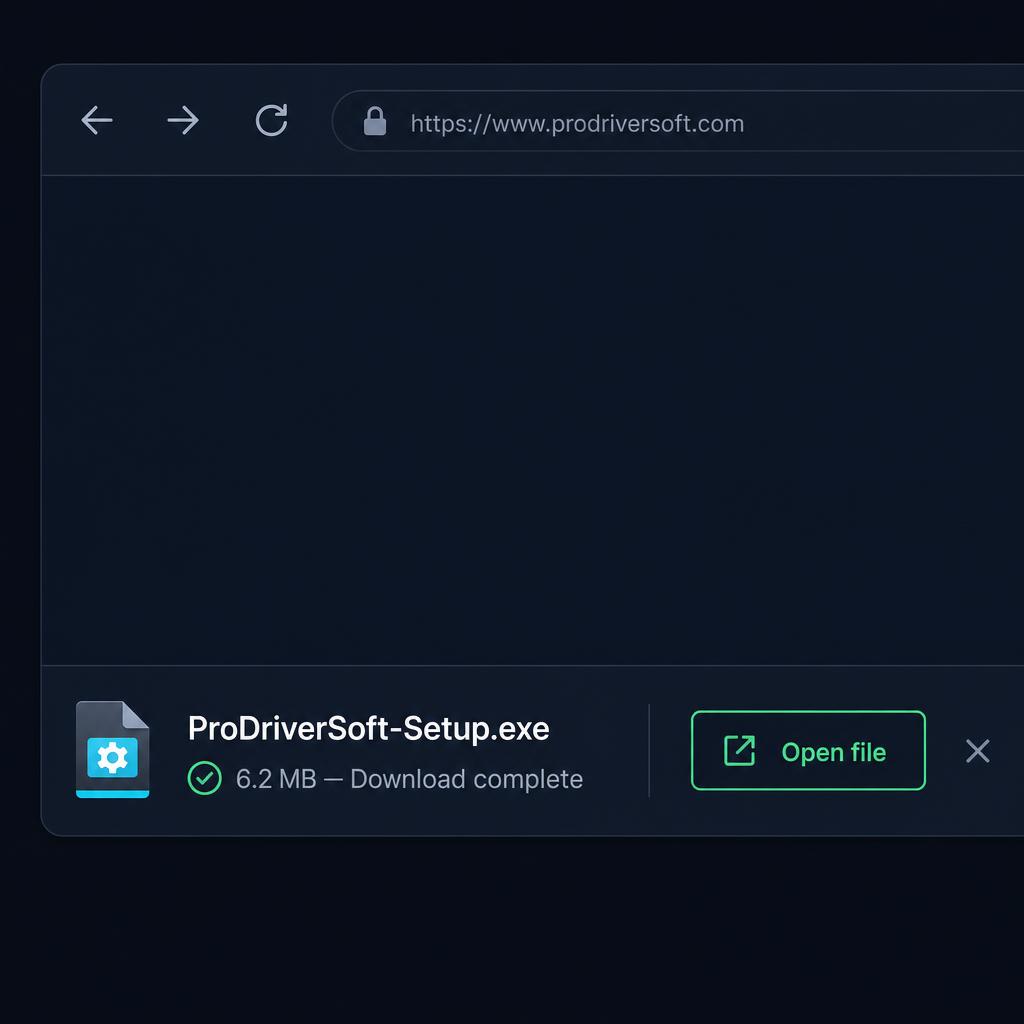
1. Download the installer
Click “Download trial version” above. Your browser saves ProDriverSoft-Setup.exe (6.2 MB) — usually to your Downloads folder. When it finishes, click “Open file” or double-click the file.
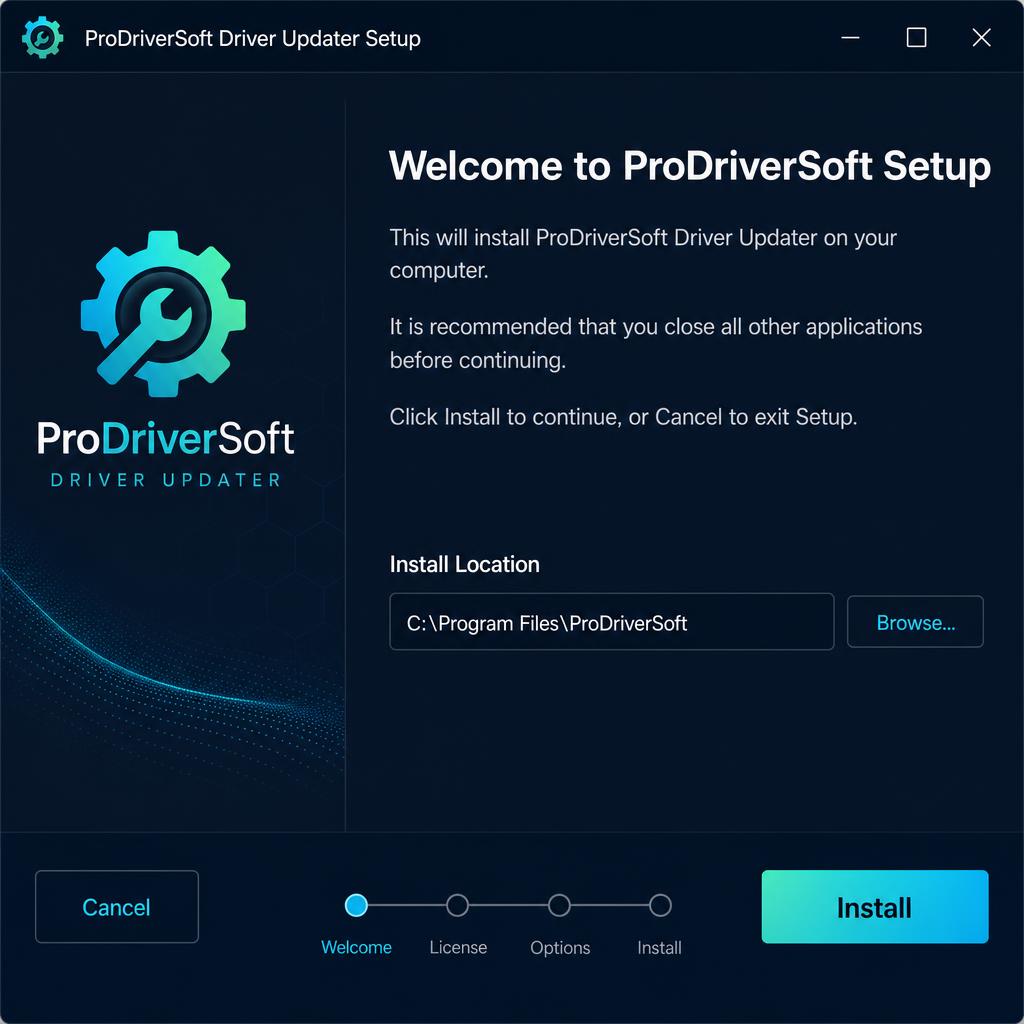
2. Run the setup wizard
Windows may ask “Do you want to allow this app to make changes?” — choose Yes. In the setup wizard, accept the licence agreement, keep the suggested install location (C:\Program Files\ProDriverSoft), and click Install. Setup takes under a minute.
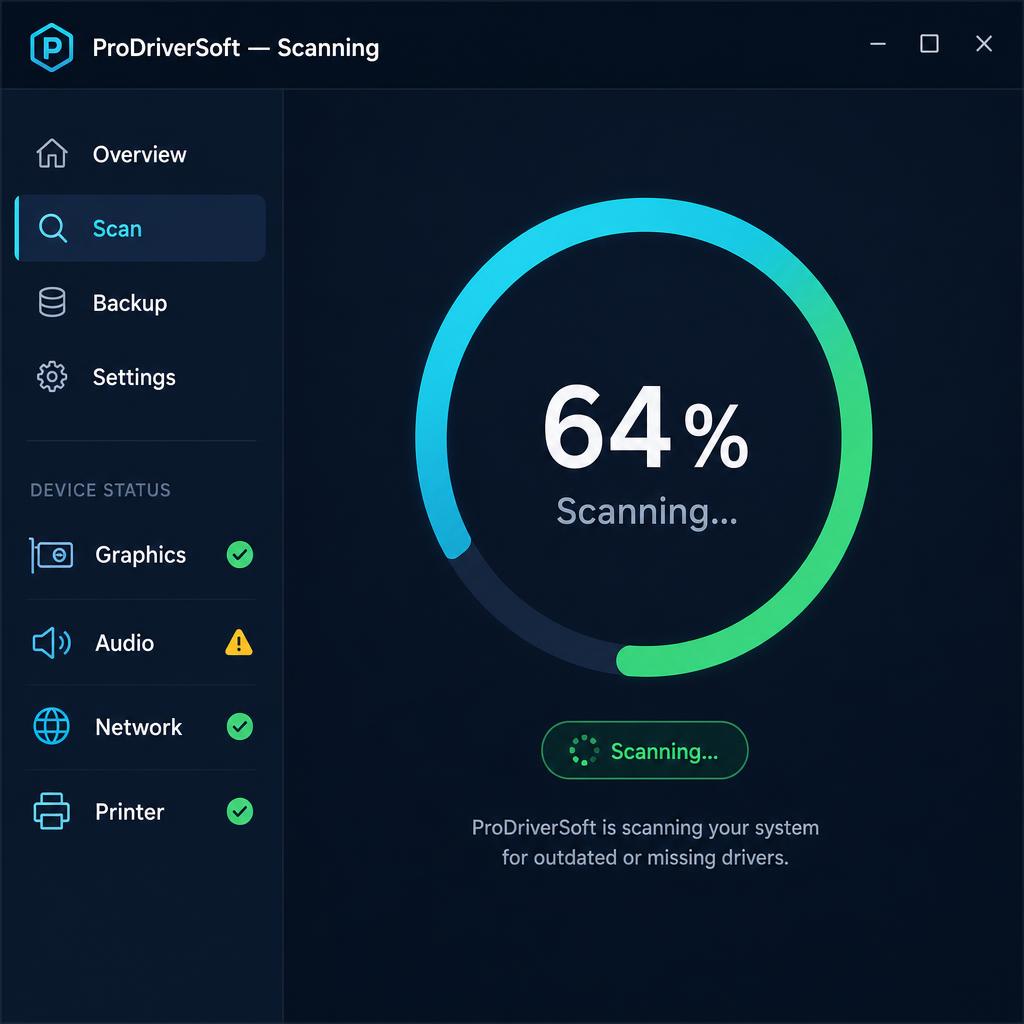
3. Run your first scan
ProDriverSoft opens automatically after installation. Click Scan and it checks graphics, audio, network, printer and other device drivers against the latest available versions. A full scan usually takes 1–2 minutes.
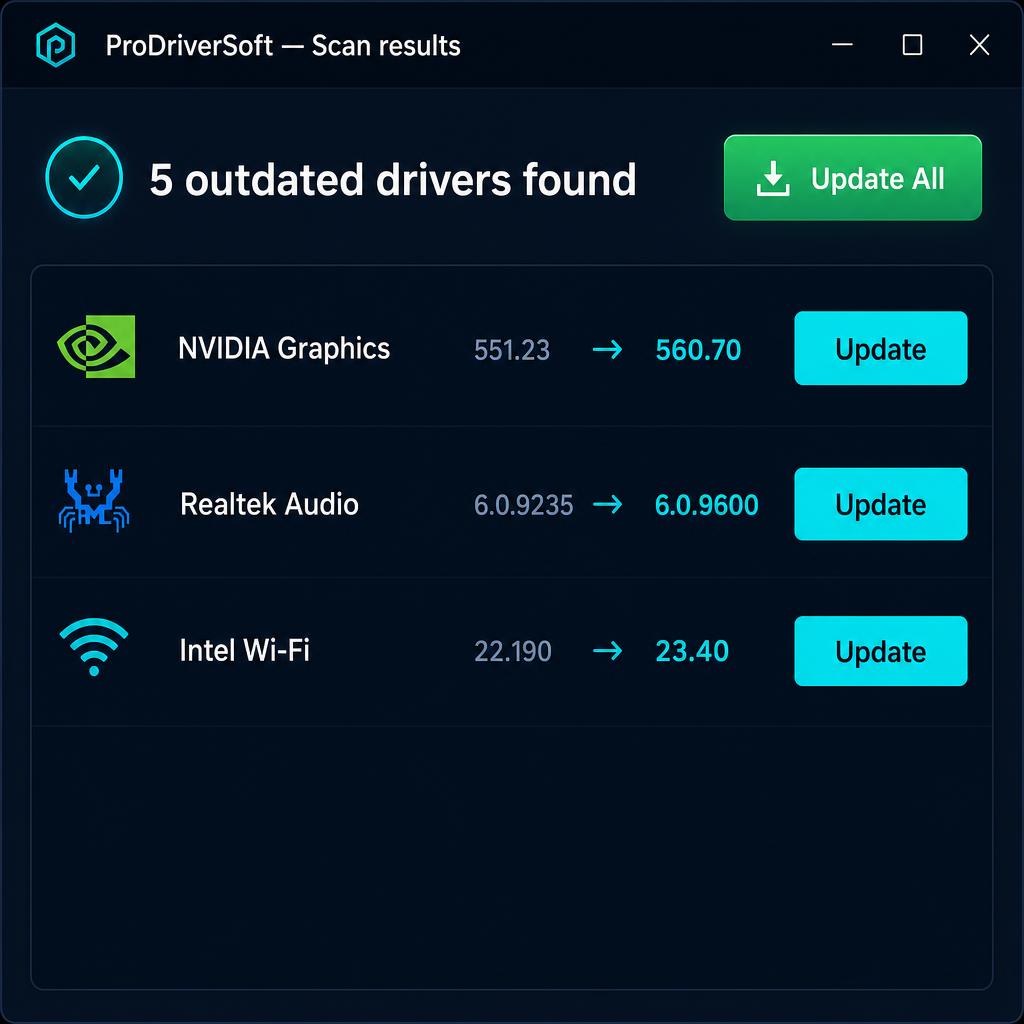
4. Review and update
The results list every outdated or missing driver with its current and available version. Tick the ones you want — or use Update All. The free trial scans and previews everything; a licence is required to install updates.
If something goes wrong
- Download blocked? Some browsers warn about any .exe file. Choose “Keep” and then “Open file”.
- Setup won’t start? Right-click the file and choose “Run as administrator”.
- Scan finds nothing? That means your drivers are already current — run a scan again in a few weeks.
- A new driver causes trouble? Open Backup and restore the previous version in two clicks.
Download details
- Software name
- ProDriverSoft Driver Updater
- Version
- 2.1.0.31408
- File size
- 6.2 MB
- Publisher
- ProDriverSoft
- What it does
- Scans your system to identify installed drivers and shows available updates.
- What it changes
- Installs only the device drivers you choose to update.
- Subscription price
- $39.90 per year, or a one-time $89.90 lifetime licence.
- Trial terms
- Free trial scans and previews updates; a licence is required to install them.
- Compatibility
- Windows 11, 10, 8, 7 (64-bit & 32-bit), ARM64 devices
Questions before you install? Talk to support.